
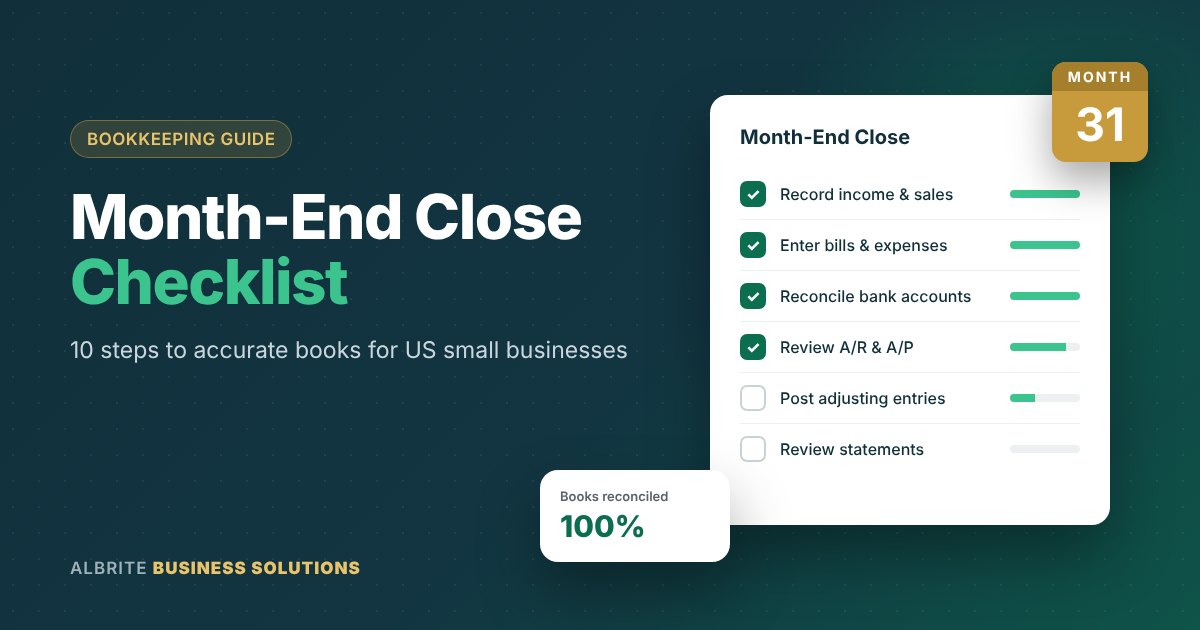
Most small business owners only look closely at their books when something goes wrong: a cash crunch, a loan application, or a lender asking for financial statements. By then, months of unreconciled transactions have piled up and fixing them takes far longer than it should. A consistent month-end close process prevents that.
In this guide, we walk through a practical month-end close checklist for small businesses: the same steps our bookkeeping team at Albrite Business Solutions follows for clients across the USA. Use it to get accurate numbers every month, catch errors early and make better decisions with confidence.
🔑 Key Takeaways
- A month-end close makes sure every transaction is recorded, reconciled and reported correctly.
- The 10-step checklist below works for any small business using QuickBooks, Xero or similar software.
- Most organized small businesses can close their books within 5 to 10 business days.
What Is a Month-End Close?
The month-end close is the set of accounting steps you complete after each month ends to make sure every transaction is recorded, every account is reconciled and your financial statements are accurate. When the close is done, the month is “locked” and you have a reliable profit and loss statement, balance sheet and cash flow picture.
Large companies have entire teams for this. Small businesses can do it too, with a clear checklist and a few hours each month.
Why the Month-End Close Matters for Small Businesses
Accurate Decisions
You cannot price, hire or expand wisely using numbers that are three months out of date.
Early Error Detection
Duplicate payments, missed invoices and bank errors are much easier to fix within 30 days.
Cash Flow Control
Regular reviews of receivables and payables reveal cash problems before they become emergencies.
Fraud Prevention
Monthly reconciliations make unauthorized transactions far easier to spot.
Lender & Investor Ready
Clean monthly financials make loan applications and investor conversations much smoother.
Stress-Free Year-End
Twelve clean closes turn year-end reporting into a quick review instead of a scramble.
The 10-Step Month-End Close Checklist

- 1
Record All Income and Sales
Make sure every invoice, sales receipt and deposit for the month is entered in your accounting software. Match deposits from payment processors such as Stripe, Square or PayPal to the underlying sales, and record processor fees separately rather than netting them against revenue.
- 2
Enter All Bills and Expenses
Collect vendor bills, receipts and subscription charges. Upload receipts to your accounting system and categorize each expense to the correct account. Consistent categorization is what makes month-to-month comparisons meaningful.
- 3
Reconcile Every Bank Account
Compare your accounting records to your bank statements line by line. Your reconciled balance should match the statement’s ending balance exactly.
💡 Investigate outstanding checks or deposits older than 60 days - 4
Reconcile Credit Cards and Loans
Repeat the reconciliation for every business credit card, line of credit and loan account. For loans, split each payment correctly between principal and interest using the lender’s statement.
- 5
Review Accounts Receivable
Run an A/R aging report. Follow up on invoices more than 30 days past due, confirm that customer payments were applied to the right invoices and identify any balances that may be uncollectible.
- 6
Review Accounts Payable
Run an A/P aging report to confirm what you owe and when it is due. Look for duplicate bills, missed early-payment discounts and vendor credits you have not used yet.
- 7
Record Payroll Accurately
Make sure gross wages, employer payroll taxes, benefits and deductions are recorded in the correct accounts, and that payroll liability balances tie to what your payroll provider shows. Our payroll services keep this step simple.
- 8
Post Adjusting Entries
If you use accrual accounting, record entries such as:
- Accrued expenses (services received but not yet billed)
- Prepaid expenses (for example, spreading annual insurance over 12 months)
- Depreciation and amortization
- Deferred revenue for payments received before the work is done
- 9
Count and Adjust Inventory
If you sell physical products, compare your inventory records to a physical count (or cycle count) and adjust for shrinkage, damage or obsolete stock. Accurate inventory directly affects your cost of goods sold and gross margin.
- 10
Review Financial Statements and Close the Period
Run your profit and loss statement, balance sheet and cash flow statement. Compare them to last month and the same month last year, and question anything unusual. When everything checks out, lock the period in your software so past months cannot be changed accidentally.
Key Reports to Review Every Month

| Report | What It Tells You |
|---|---|
| 📊 Profit & Loss | Whether you made money this month and where it went |
| ⚖️ Balance Sheet | What your business owns, owes and is worth at month-end |
| 💧 Cash Flow Statement | Where cash came from and where it was spent |
| 📥 A/R Aging | Which customers owe you and how overdue they are |
| 📤 A/P Aging | Which bills are coming due and when |
| 🎯 Budget vs. Actual | Whether spending and revenue are on plan |
Need help turning these reports into clear insights? Explore our financial reporting services.
Common Month-End Close Mistakes to Avoid
Mixing personal and business transactions. Keep separate accounts and cards for the business.
Relying on bank feeds alone. Auto-categorization is helpful but often wrong. Always review it.
Leaving “uncategorized” balances. Clear them every month so they do not grow into a cleanup project.
Skipping the balance sheet. Many owners only look at the P&L, but errors often hide on the balance sheet.
No set deadline. Pick a target, such as the 10th business day of the following month, and stick to it.
How Long Should a Month-End Close Take?
Target: 5 to 10 business days after month-end
Day 1Day 5Day 10For most small businesses with organized records, the close can be completed within 5 to 10 business days after month-end. If your close regularly takes longer, it usually signals missing documentation, too many manual entries or books that need a cleanup first. Our bookkeeping services include catch-up and cleanup work.
Tips to Speed Up Your Month-End Close
- Connect bank and credit card feeds to cloud accounting software like QuickBooks Online or Xero.
- Use receipt-capture apps so documents are attached as expenses happen.
- Set up recurring entries for rent, depreciation and prepaid expenses.
- Reconcile weekly during busy seasons so month-end is a quick final check.
- Create a written checklist with owners and due dates for each step.
Frequently Asked Questions
What is a month-end close checklist?
It is a step-by-step list of accounting tasks, such as recording transactions, reconciling accounts, posting adjustments and reviewing financial statements, that a business completes after each month to make sure its books are accurate.
Do small businesses really need a monthly close?
Yes. A monthly close gives you up-to-date numbers for decisions, catches errors early, protects against fraud and keeps you ready for lenders, investors and year-end reporting.
Can I outsource my month-end close?
Absolutely. Many small businesses outsource bookkeeping and the monthly close to a professional firm so they get accurate financials every month without hiring a full-time accountant.
Let Albrite Business Solutions Close Your Books Every Month
Behind on your books, unsure your numbers are right or simply want your time back? We provide bookkeeping, accounting and consulting for small businesses, entrepreneurs and real estate investors across the USA.